I edit everything in Premiere Pro. Reels, travel films, hotel and destination videos: all of it.
Why I switched to Premiere Pro
I moved to Premiere Pro in 2026, when my editing ambitions grew. Before that, I used Premiere on my phone, for really basic edits.
Good to know: Premiere on iPhone is free as a standalone mobile editor. The desktop version is a paid subscription.
My editing workflow, step by step
1. Sort the footage by project, from the backup
My footage is always sorted by project, right from the moment I back up my memory cards.
How my drives are organised: one folder per camera, then per year, then per month, then per trip. A clip from Lake Como shot on the Luna Ultra lives in LUNA ULTRA 2026, then 9.SEPTEMBER, then LAKE COMO. It sounds obvious until you are looking for one shot among four thousand, a year later.
2. Import everything and select the best shots
Next, I import everything into Premiere and go through all the footage to pick the shots I want to keep.
3. Tell the story
It is only after this selection that I start telling the story. Not a sequence of pretty shots: a beginning, something that happens, an end. For a hotel, that is usually arriving, the room, the details, the morning. For a destination, it is the first light, the day, the people.
4. Choose the music last
Only then do I choose a piece of music that matches my vision, and not the other way around. I know that almost everyone in video picks the music before they start editing. I do the opposite.
Why: when you cut to a track, the track decides everything, the rhythm, the length, even which shots survive. Every video ends up feeling like the same video. Choosing the music afterwards means the film keeps its own pace, and the music serves it instead of driving it.
5. Colour grade by hand
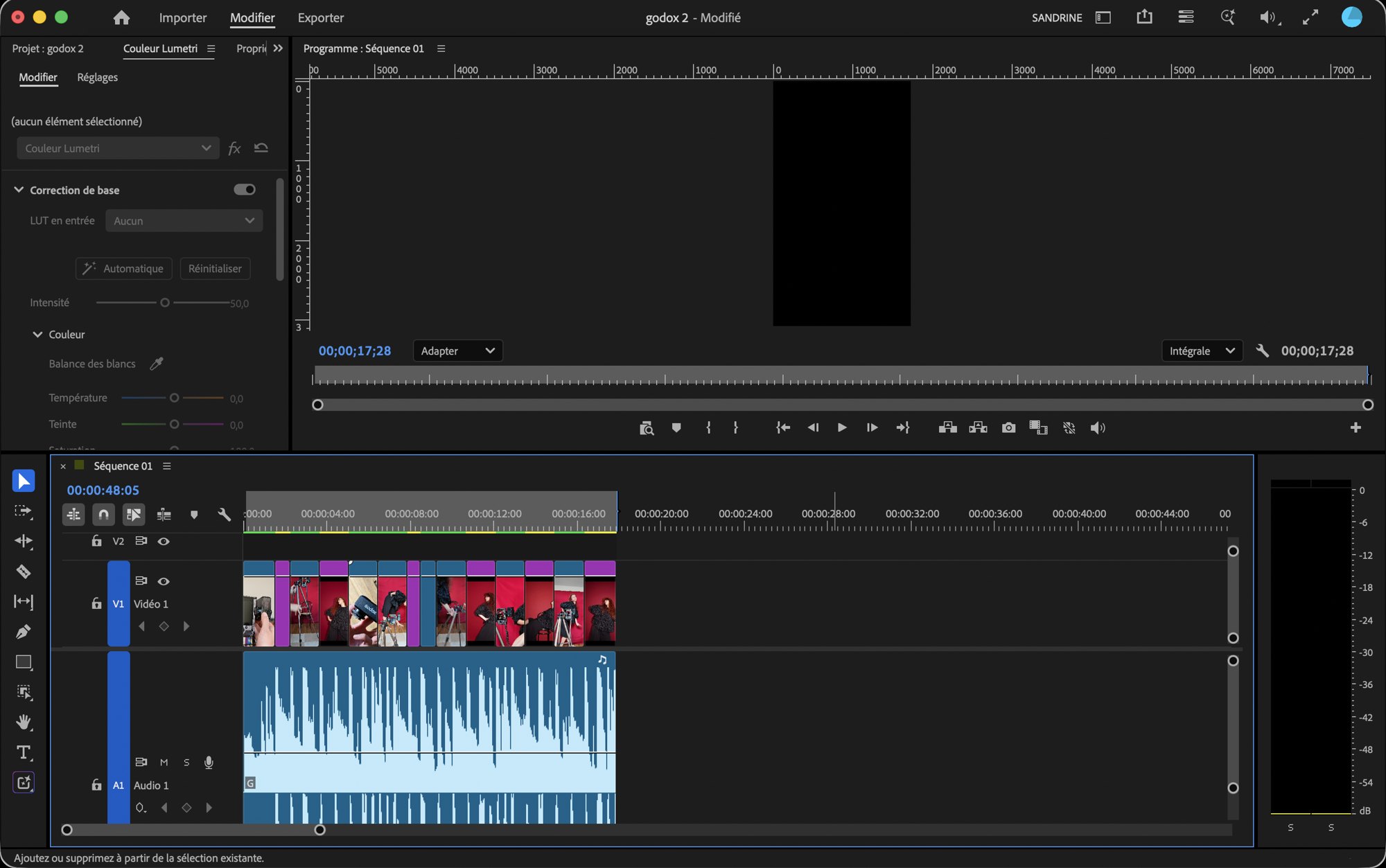
Then I colour grade, by hand, in Lumetri. No bought LUT packs: I match the shots to each other first, then I set the look of the film.
Why by hand: my footage comes from three or four different cameras in the same film, and no preset makes a Ricoh, a Luna Ultra and an action camera agree. Matching them is the actual work.
6. Add a voiceover and subtitles if needed
Finally, if the video needs it, I add a voiceover, subtitles, and the rest.
What I love about Premiere Pro
It looks intimidating, but it is very intuitive once you are in it. Especially the keyboard shortcuts.
My basics, three single keys:
- C to cut, with the Razor tool.
- V to select, with the Selection tool.
- B for the Ripple Edit tool: it brings the rest of the timeline back to the previous shot, so there is no gap left.
Three more that save me time:
- Space to play and stop, with the arrow keys to move one frame at a time.
- I and O to set the in and out points of a clip before dragging it into the timeline.
- Shift with the arrow keys to jump five frames, which is how I trim the start of almost every shot.
What I like less
- The price. It is not cheap.
- The text tool. I am not a fan of it, for example to add a title.
My computer
I edit on a MacBook Air, bought in March 2026. Against all odds, it runs Premiere Pro very well.
Premiere Pro price
As a single app, Premiere costs US$22.99 a month in the United States, on an annual plan billed monthly. It includes Premiere on desktop and iPhone, plus the Adobe Express Premium plan. Prices vary by country, so check Adobe's site for yours. There is a 7-day free trial, and Premiere is also included in the Creative Cloud Pro plan, with more than 20 Adobe apps.
What I would tell someone starting out
- Do not start with the effects. Learn to cut first. A film is made of the shots you take out.
- Watch your export settings. H.264, 1080p or 4K, and the right frame rate. Most first videos look soft because of the export, not the edit.
- Name your sequences. Version 1, version 2, final, final final. You will thank yourself.
- Back up before you edit, not after.
Premiere Pro FAQ
Do you need a powerful computer for Premiere Pro?
Not necessarily. I edit on a MacBook Air from March 2026 and it handles my work fine.
Is Premiere on iPhone the same thing?
No. The mobile app is free and basic. The desktop version is the real tool, and it is a subscription.
Which shortcuts should you learn first?
C to cut, V to select, B for ripple edit. Those three do most of the work.
Should you pick the music before or after editing?
I pick it after, so the film keeps its own rhythm. Most people do the opposite.
Who is Premiere Pro for?
I think you need to love video editing to use software like this.
Final thoughts
Sort by project, select, tell the story, then music, colour, and subtitles. Premiere Pro looks scary at first, but once you are inside, the shortcuts make it feel natural.
Read next
- Insta360 Luna Ultra review, the camera I film with
- Insta360 Ace Pro 2 review